Standalone Mode
About
The standalone mode is great because it allows you to perform tricks for anyone without a Bluetooth connection spontaneously. Each of the three buttons can be assigned different actions. You will be able to configure it in the TimeSmith app.
With this mode works excellently the “Be the Force with You” trick.
Important
It works only:
- when you have the latest update (v3.0.62)
- when the watch is not connected to the app or any other device
Setting up the Actions
Here’s how to set different actions for the crown and the buttons:
- Open the TimeSmith app.
- Connect to your watch.
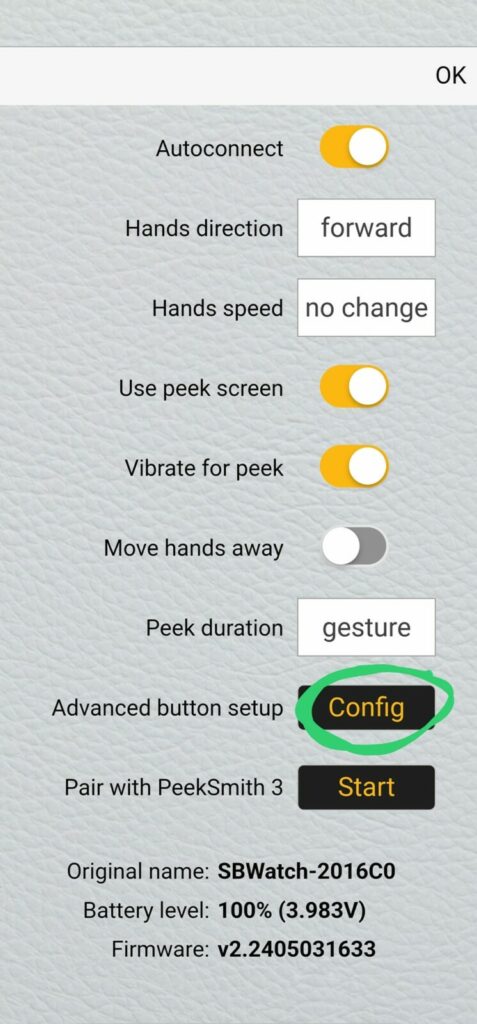
- The connected watch will appear in the devices list. Click on the “Details” button.
- In the “Advanced Button Setup,” click the “Config” button.
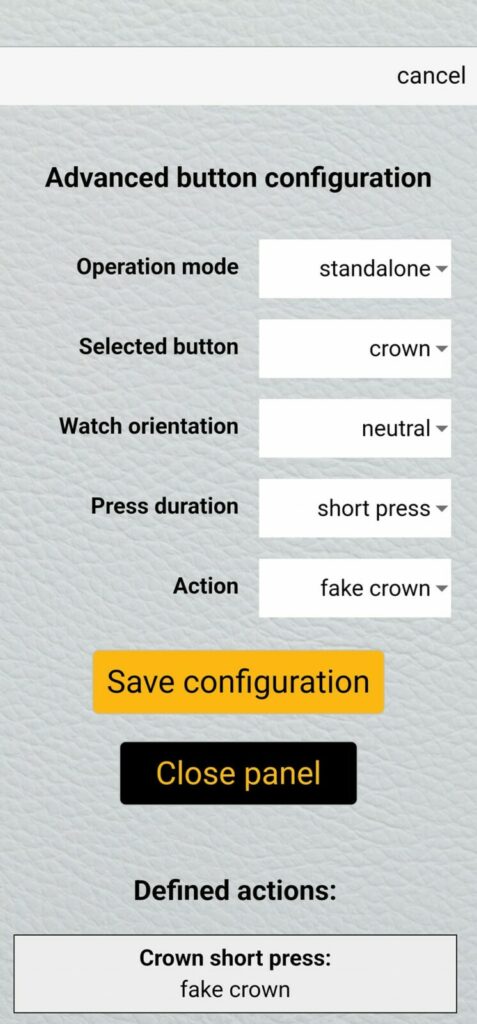
- Choose your desired crown, orientation, press duration and action.
- Press the “Save Configuration” button
Set the Time - Preset Custom Times
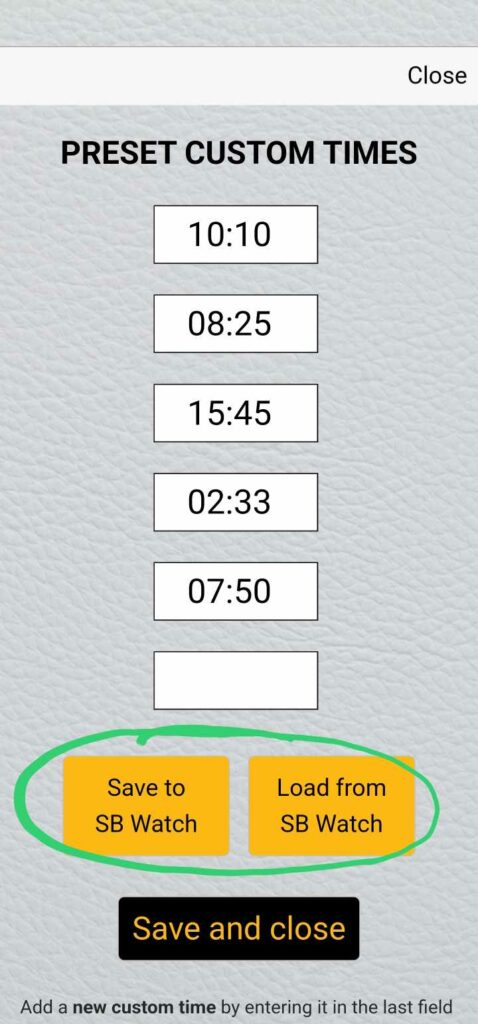
You can set up to 10 times simultaneously:
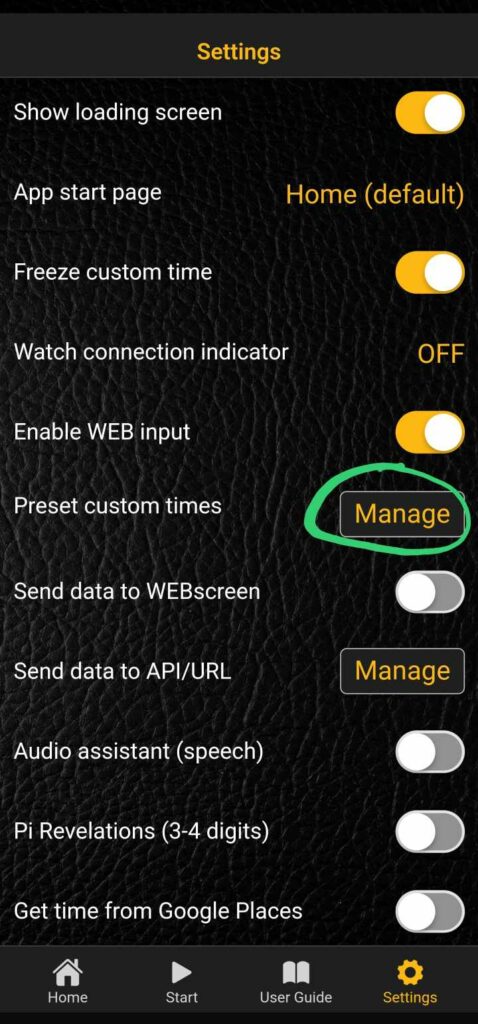
- Go to the General Settings.
- Click the “Manage” button under “Preset Custom Times.”
- Enter the desired times into the boxes.
- Save your settings.
Available Actions
Here’s what you need to know about the 5 actions:
- Preset Time: The top preset time appears on the watch.
- Current Time: The current time is displayed on the watch.
- Fake Crown: The crown functions like a regular watch.
- Next Preset: The next preset time is shown on the watch.
- Reset Preset: The preset times list restarts from the beginning, displaying the top preset time on the watch.
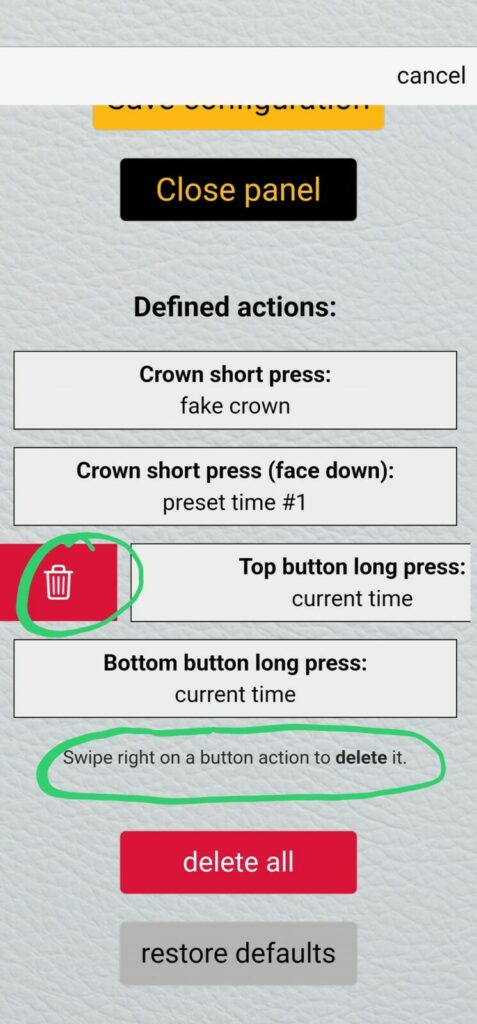
Delete an Action
You can delete the action where you added it. Choose the action an swipe right to delete it.