

![PeekSmith 3. [Know, Instantly.]](/assets/images/products/peeksmith-3.png)
Sharpeek
Sharpeek, created by Pascal Vertanessian, is a premium accessory crafted exclusively for PeekSmith 3. Disguised as a standard Sharpie M15 marker, it writes like a normal pen — yet inside, it conceals one of the most powerful peek devices ever made.
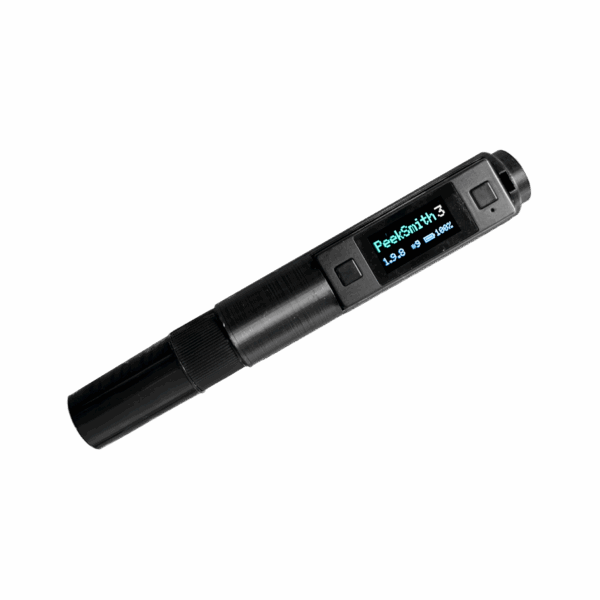
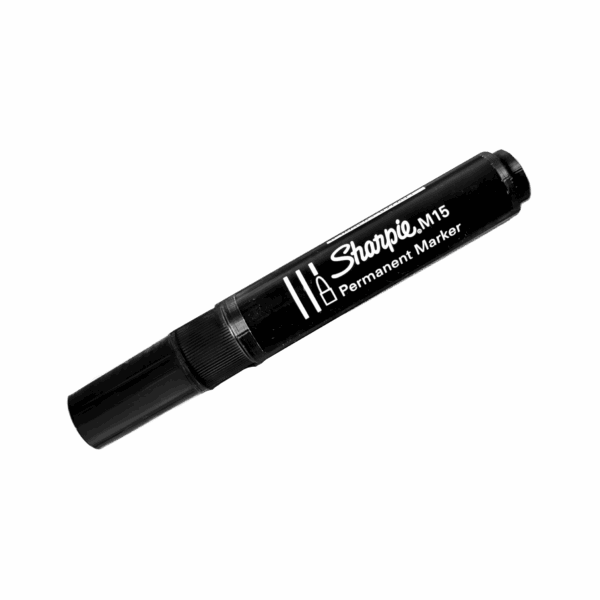
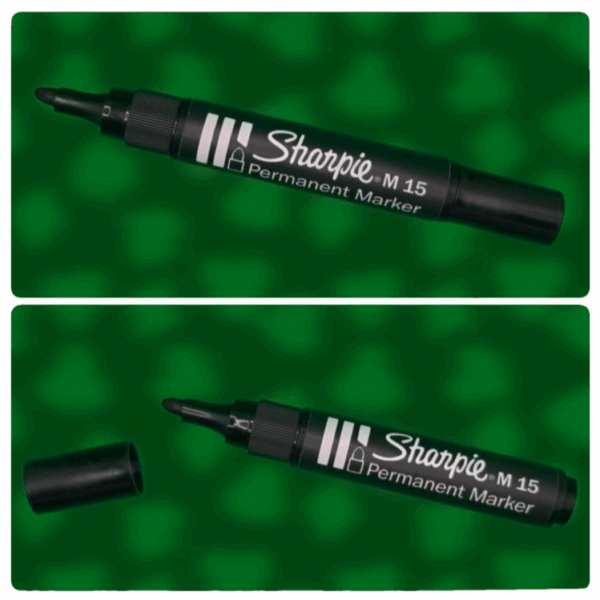
Why Sharpeek?
Invisible in plain sight — Without it, you’re hiding a tech device. With it, you’re holding a Sharpie. No one questions why you’re holding a marker.
Completely natural — Write on billets or notecards as part of your act. Your handling always feels justified.
No compromises — Perform effortless peeks with a natural rotation in your palm. No weird moves, no suspicion, no heat.
Professional concealment — Keep your hands and pockets free of suspicious objects.
Installing PeekSmith 3
Setting up Sharpeek takes only seconds:
- Turn on your PeekSmith 3.
- Slide it into Sharpeek with:
- Screen facing you.
- Side button facing the clip (this button will no longer be accessible once inserted).
- In the PeekSmith app, go to your connected device’s Details page.
- If you’re right-handed, enable “Rotate display upside down” to ensure correct screen orientation.
The PeekSmith fits naturally into its custom slot — snug, secure, and ready to perform.
Using in Performance
When you’re holding Sharpeek, you’re just holding a pen. When the timing is right, a natural rotation in your palm lets you:
- Effortlessly peek the screen.
- Hide it completely when not in use.
- Stay natural and relaxed throughout your routine.
Because it looks and works like an ordinary Sharpie, your handling always feels justified.
Removing PeekSmith
To remove PeekSmith 3 from the marker:
- Hold Sharpeek upright.
- Give it a light tap into your open palm.
- The device will gently slide out.
No shaking, no force, no stress. Just smooth handling from start to finish.
Common Questions
Will my PeekSmith 3 fit?
Yes. Sharpeek is fully compatible with all PeekSmith 3 versions (including all colors).
Does it work for left-handed and right-handed users?
Yes. You can set the screen upside-down. See the Installing PeekSmith 3 section above.
Can I still write with it?
Yes. It retains a shortened but functional ink tip so it writes like a real Sharpie. Note that it may run out of ink sooner than a full-size marker.
What about the buttons?
The side button is covered once inserted, but both front buttons remain accessible for use during performances.
Is it easy to insert and remove the device?
Very easy. Insertion is smooth, and removal takes only a light tap.
Does it feel like a real Sharpie?
Yes. While the interior is custom 3D-printed, the exterior uses professional-grade stickering and real parts, making it indistinguishable in the hand.
Wick Replacement Guide
This guide shows you how to extend the life of your Sharpeek by replacing the wick yourself.
Tips to Extend Wick Life
- Use Sharpeek only when necessary during your routine.
- Reseal the cap tightly after each use to reduce evaporation.
- If the tip dries out, revive it with a drop of isopropyl alcohol (this trick works with most permanent markers).
Before You Begin
Replacing the wick involves ink, and ink stains. Prepare your workspace:
- Wear gloves and old clothes.
- Use absorbent paper to protect surfaces.
- Work slowly and carefully — sharp or forceful movements can damage the marker.
What You’ll Need
- Your Sharpeek.
- A new Sharpie M15.
- A sharp utility knife.
- A ruler.
- A small piece of tape.
- Absorbent paper or tissue.
Step-by-Step Instructions
1. Remove the old wick from your Sharpeek
- Hold the front and the body of the marker firmly.
- Gently pull the wick while rotating it slightly.
- Do not twist or squeeze forcefully.
2. Remove the new wick from the Sharpie M15
- Use the same pull-and-rotate method.
- Handle with care to avoid ink splatter.
3. Cut the new wick
- Measure 4 cm with the ruler.
- Cut the wick straight across using a sharp utility knife.
- Place absorbent paper under the wick while cutting to catch any ink leaks.
4. Prepare the wick for insertion
- Wrap a small piece of tape around one end of the wick (prevents ink from leaking into the marker body).
- Insert the taped end first into Sharpeek.
- Slide it in gently until only the taped section is visible.
5. Close the marker
- Reattach the tip to the Sharpeek body.
- Press until you feel or hear a soft click — this confirms a proper fit.
Your Sharpeek is now refilled and ready to use again.
Specifications
| Specification | Details |
|---|---|
| Weight | 18g |
| Dimensions | 137 × 17 × 17 mm |