

![PeekSmith 3. [Know, Instantly.]](/assets/images/products/peeksmith-3.png)
Scrabble
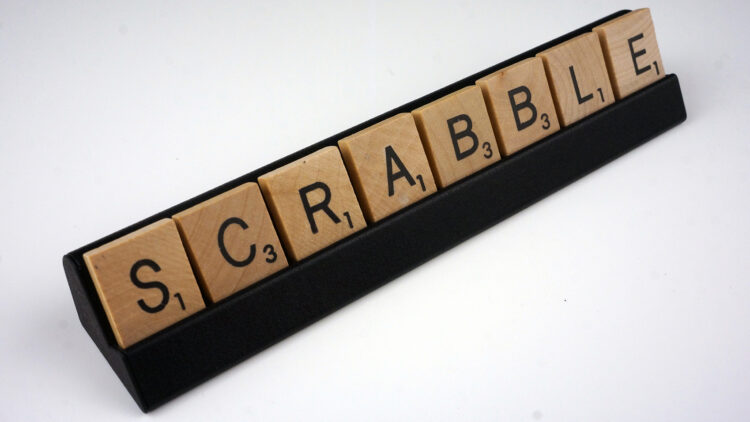
Connect PeekSmith 3 directly to Scrabble by Labco Magic without using your phone.
How It Works
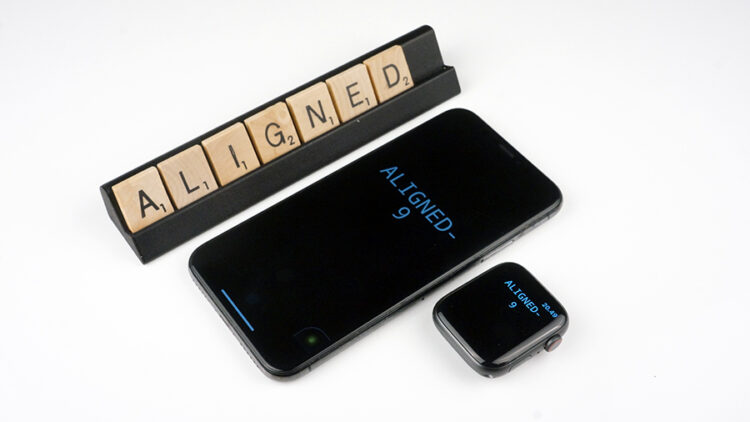
Starting with firmware v1.9.1, PeekSmith 3 supports direct Bluetooth connection with Scrabble. Once connected, PeekSmith 3 displays:
- Letters placed on the Scrabble stand
- Individual point values for each letter
- Total score in the top right corner
All information updates in real-time as tiles are placed on the stand.
Connecting to Scrabble
Critical App Disconnection RequiredPeekSmith 3 must be completely disconnected from any mobile applications before connecting with Scrabble. When an app connects to PeekSmith 3, the app takes control of the device, preventing direct device connections.
- Disconnect all mobile apps - Ensure PeekSmith 3 is not connected to or paired with any smartphone applications.
- Make sure Scrabble isn’t connected to any app.
- Press and hold the right button on PeekSmith 3 for three seconds.
- PeekSmith 3 scans for available Bluetooth devices.
- Once connected, letter information displays on screen.
Get Scrabble
Connection Requirements
Before attempting to connect Scrabble:
- Firmware: Ensure PeekSmith 3 has the latest firmware (v1.9.1 or later)
- App Disconnected: Close the PeekSmith app and ensure PeekSmith 3 is not connected to any mobile applications
- Scrabble Disconnected: Make sure Scrabble isn’t connected to any app
- Distance: Keep PeekSmith 3 and Scrabble within close proximity (1-2 meters)
Troubleshooting
Scrabble won’t connect:
- Verify PeekSmith 3 is disconnected from mobile app
- Ensure Scrabble isn’t connected to any other apps or devices
- Check that PeekSmith 3 firmware is v1.9.1 or later
- Try reconnecting by pressing and holding the right button on PeekSmith 3
Letters not displaying:
- Verify the connection is active
- Check that tiles are properly placed on the Scrabble stand
- Ensure sufficient lighting for proper recognition
- Try reconnecting to Scrabble